Screens
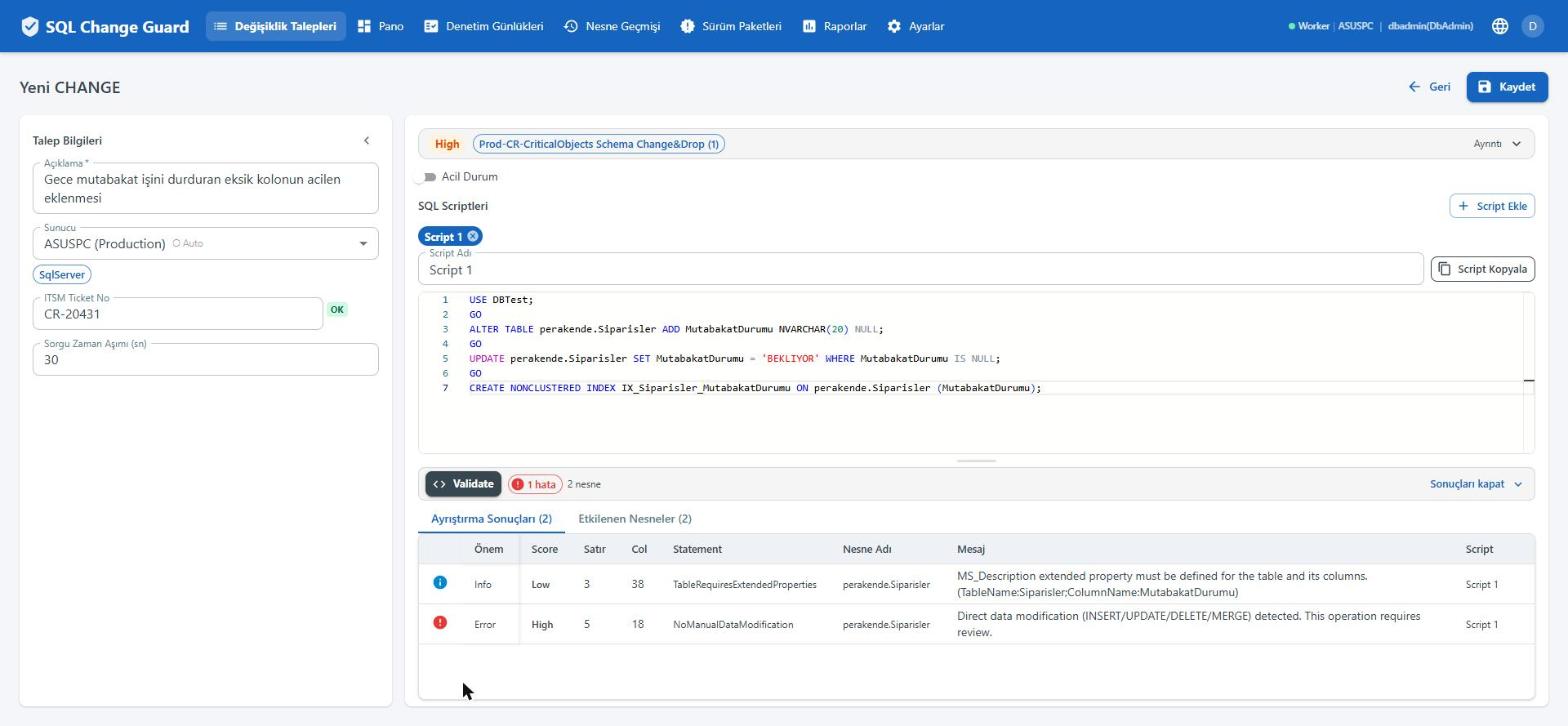
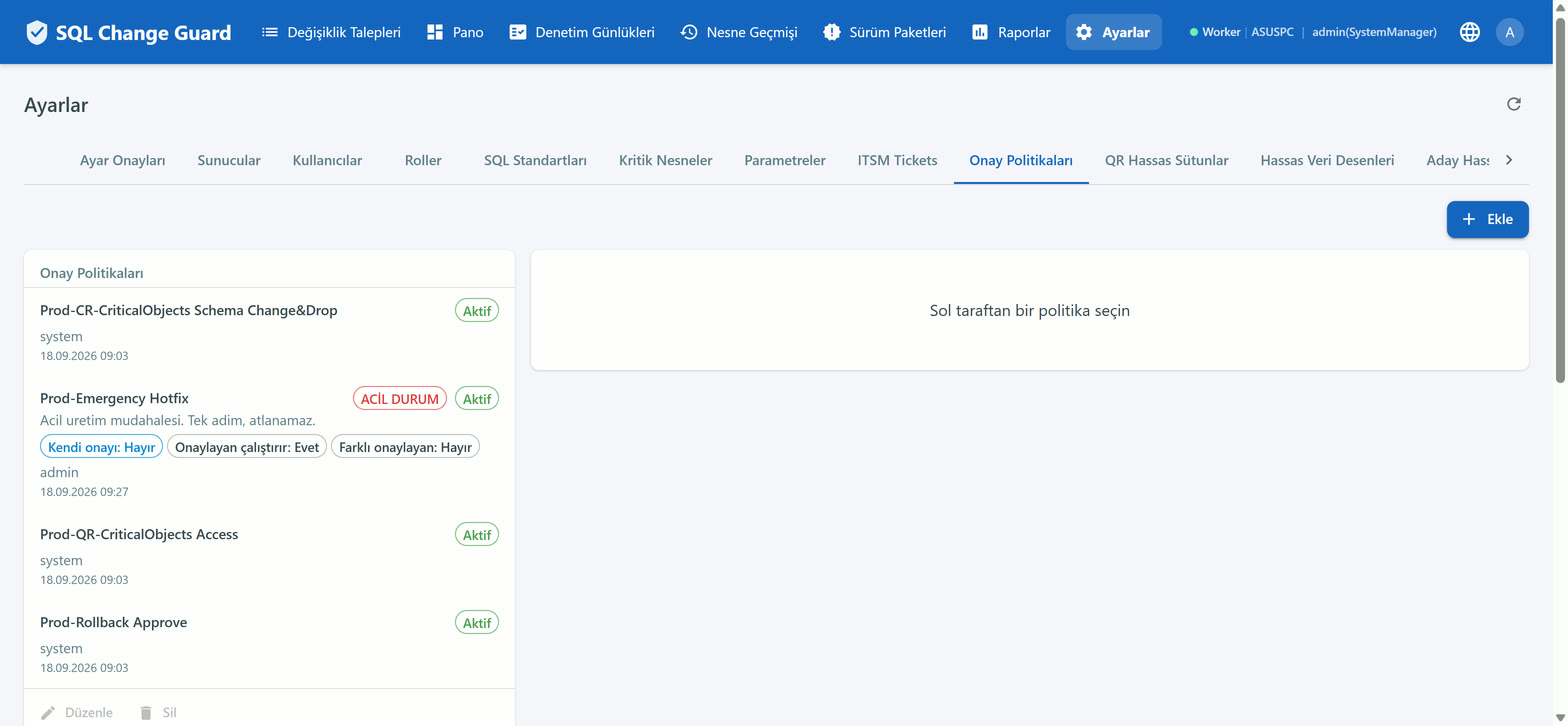
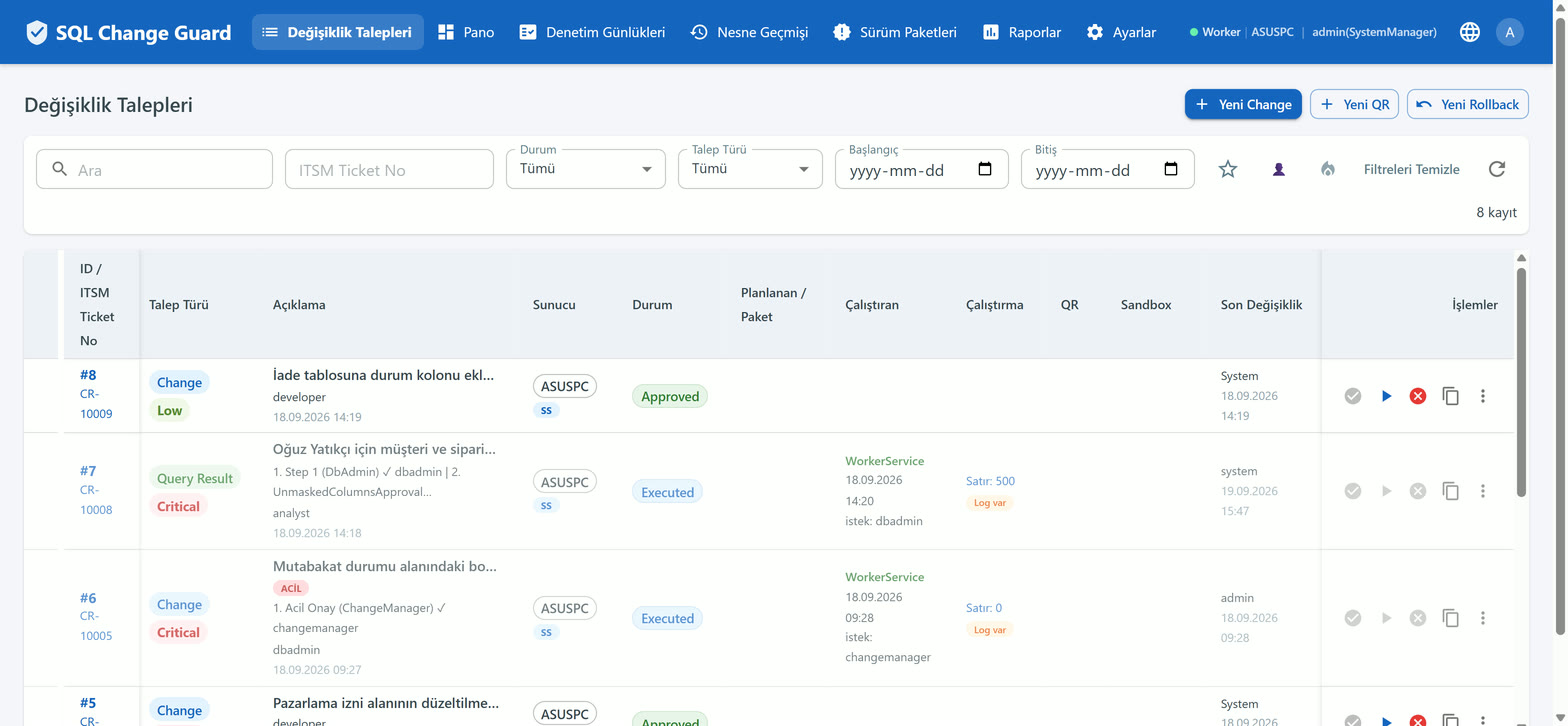
Every script bound for production goes through the same gate: validation, risk band, policy, approval, execution and audit. The decision rule is written down and the evidence comes out of the work itself.
Change management organises how a change is planned, carried and released. Its question is how the work gets to production. Ticketing systems, delivery pipelines and schema migration tools answer that question.
Change governance organises whether the work is allowed through and how you prove that it was. Its question is which rule assessed the work, who allowed it, and on what basis you claim the text that ran is the text that was approved. It has three components and all three must be written down: the rule, the gate and the evidence.
The two disciplines are not alternatives. SQL Change Guard does not replace your management tools; it answers the second question they leave open. We call the approach that brings database change and production data access under one roof Database Operations Governance.
There are three brakes and they are not equally hard.
If the script cannot be parsed, the request is never saved. This brake cannot be turned off.
If a standard marked "blocks save" is triggered, no record is created. An UPDATE without a WHERE clause ships marked this way.
For other high tier findings the user is shown an acknowledgement, and the request is only saved on the second submission.
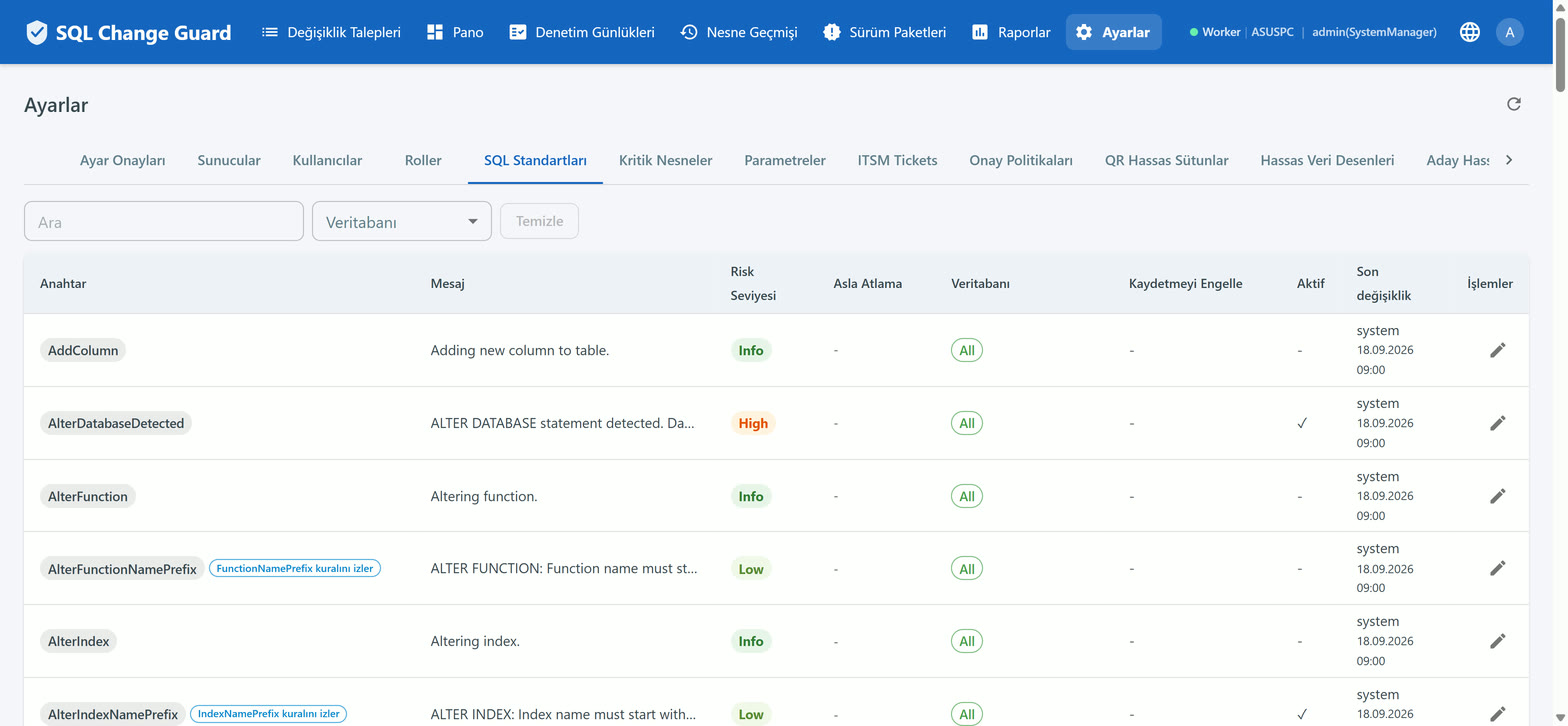
The rule set belongs to you. A catalogue of eighty eight SQL standards ships with the product. Each can be switched on or off, its tier changed, and the database types it applies to selected. Screen: Settings, SQL Standards.
Every SQL standard carries one of five tiers: Info, Low, Medium, High, Critical. A request's band is the highest tier among the rules it triggered.
Nothing is averaged and no points are summed. The reason is simple: the average of fifty small findings hides a single critical one. A worst case approach prevents that.
The screen also shows a number between 0 and 100. That number is a readable projection of the band and is used in no gate decision. Decisions belong to the band and the rule flags.
Rules that can never be skipped. Six rules ship with this flag: dropping a critical object, accessing a critical object, schema change on a critical object, running an operating system command, permission changes and linked server usage. When one is triggered, the machine cannot execute the request on its own and the approval step tied to that rule cannot be skipped.
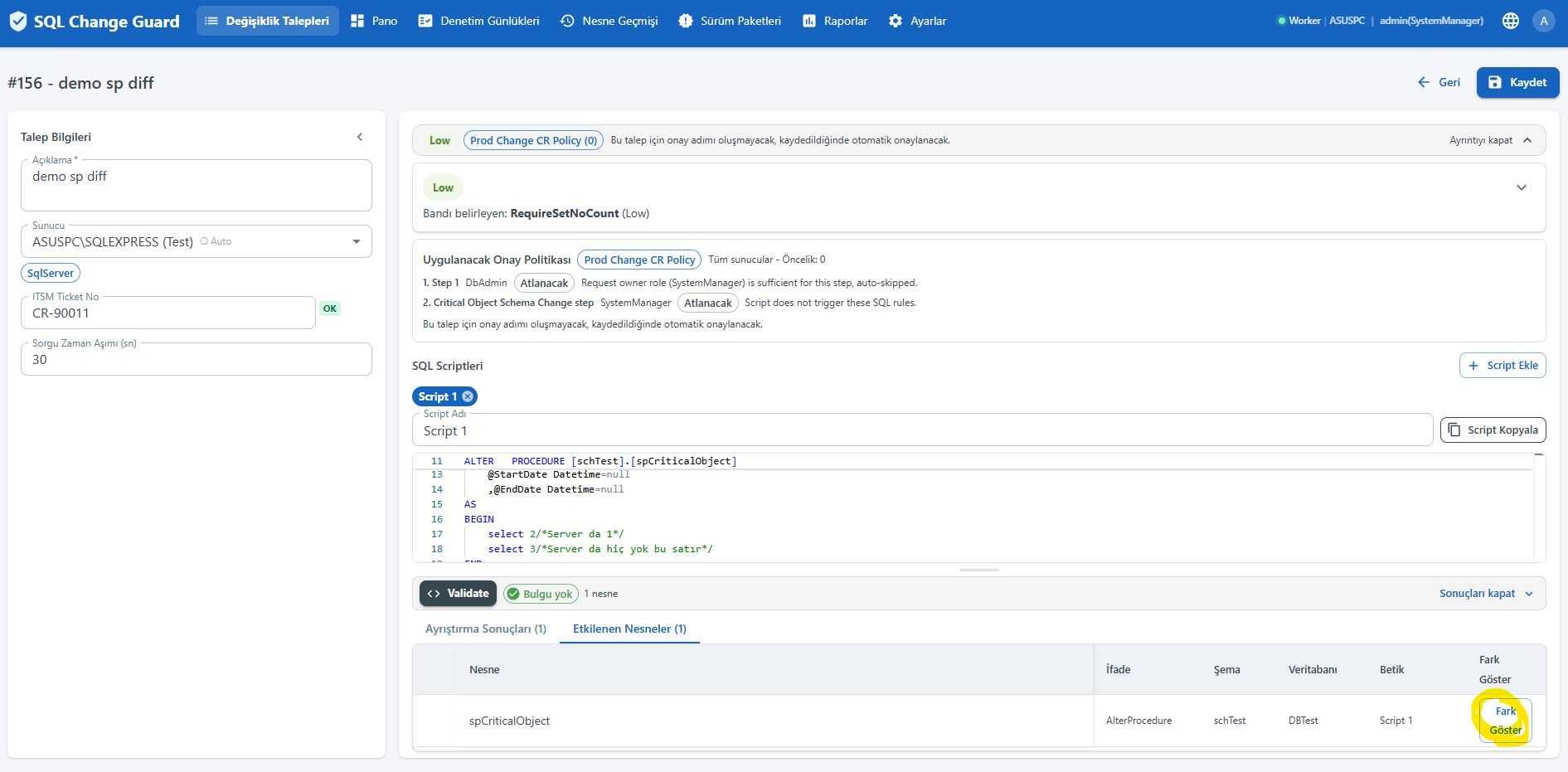
Approval is not a habit. It is a written rule, and it is frozen onto the request at save time.
Candidate policies are searched in this order of specificity: a specific server, then the environment, then global. When several candidates sit at the same level, the priority value decides. If a request spans several servers, each is resolved separately and the strictest one wins.
The approver role; triggering on specific rule keys; triggering at a risk band threshold; skipping at a low band; skipping when the requester's own role is high enough; and a lock that makes the step wait under all conditions.
The point most often misread. Only two fields make a step conditional: the rule key and the band threshold. Once a conditional step is triggered it cannot be skipped by seniority; even the most senior user waits. A plain base step, by contrast, is skipped when the requester's own role is at or above the approver role.
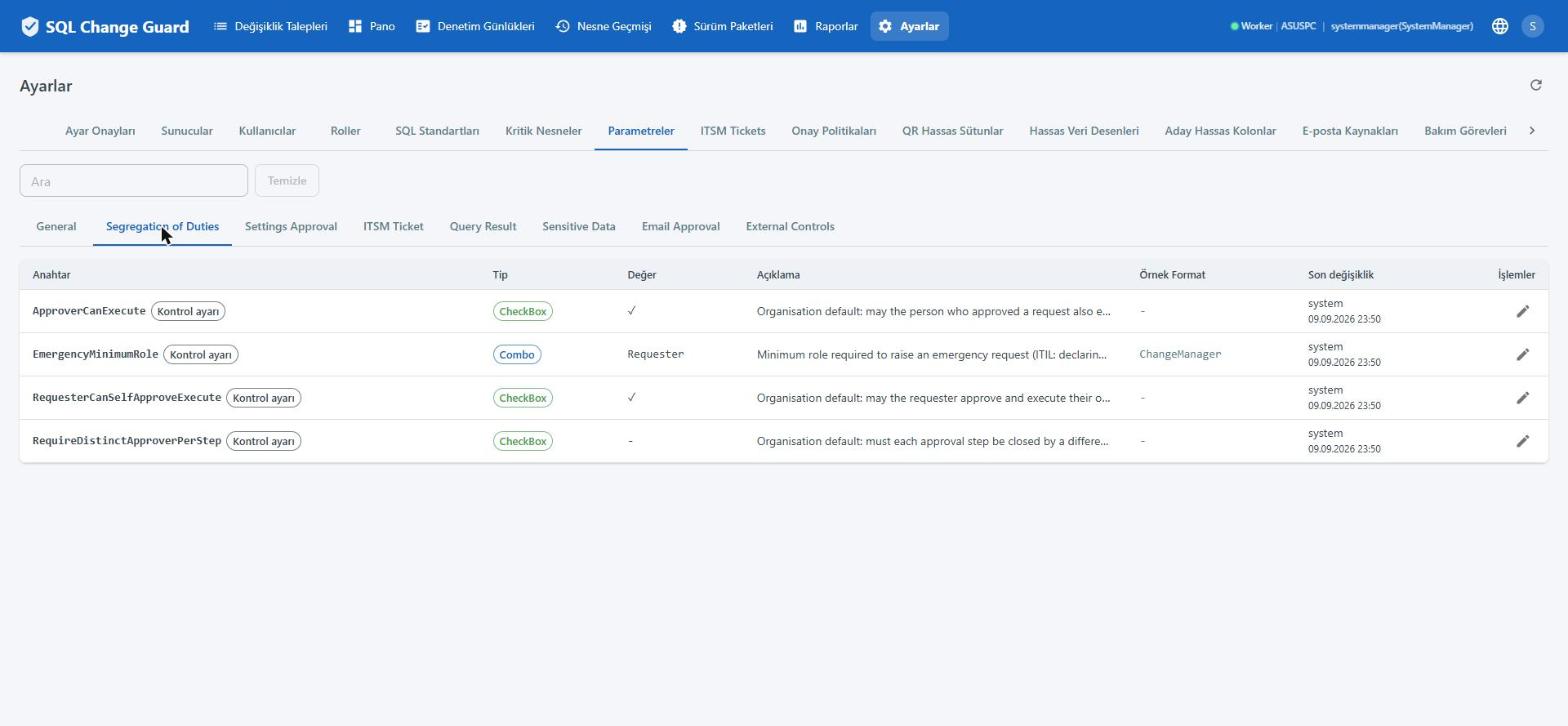
When switched off, a requester can neither approve nor execute their own request.
When switched off, whoever closed a step cannot execute that same request.
When switched on, one person can close only one step on the same request.
The effective value of these three settings is frozen when the request is saved. A later change does not rewrite requests that were already decided.
An authorised user executes the request or schedules it for later. Automatic execution can be enabled per server, but if a never skip rule was triggered the machine will not run it and a person has to press the button.
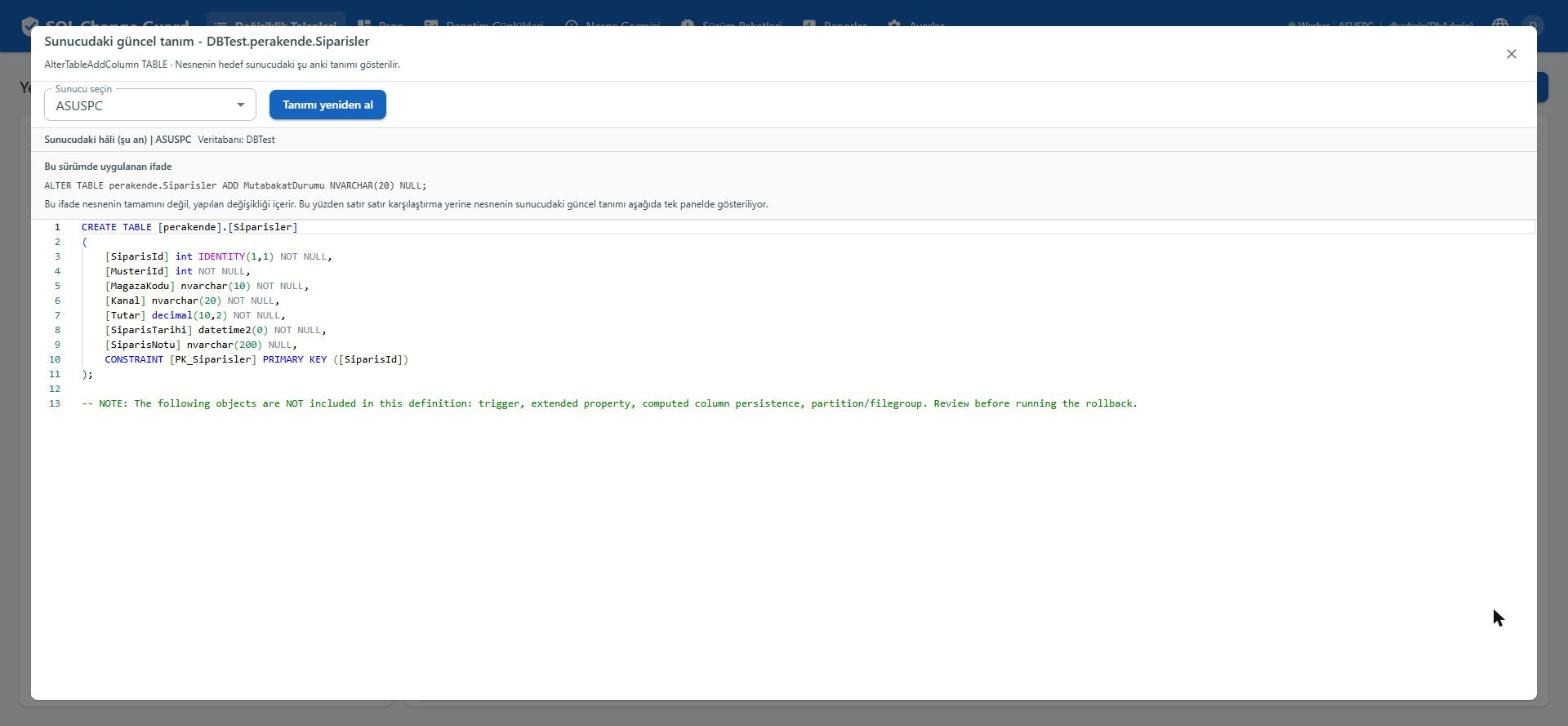
The product can generate a rollback script from the original. A server can be marked so that nothing runs without one. A script can also be tried on an isolated server without touching production, and the result is attached to the request.
Let us be explicit about the scope. Automatic generation covers object definition changes: for tables, columns, indexes, views, procedures and the like, the current definition is read from the server and the reversing script is prepared. For statements that change data (UPDATE, DELETE) the previous row values cannot be derived from the script; that is a mathematical limit rather than a product gap. In those cases the rollback script is written by hand and attached to the request, and a server setting can make that mandatory.
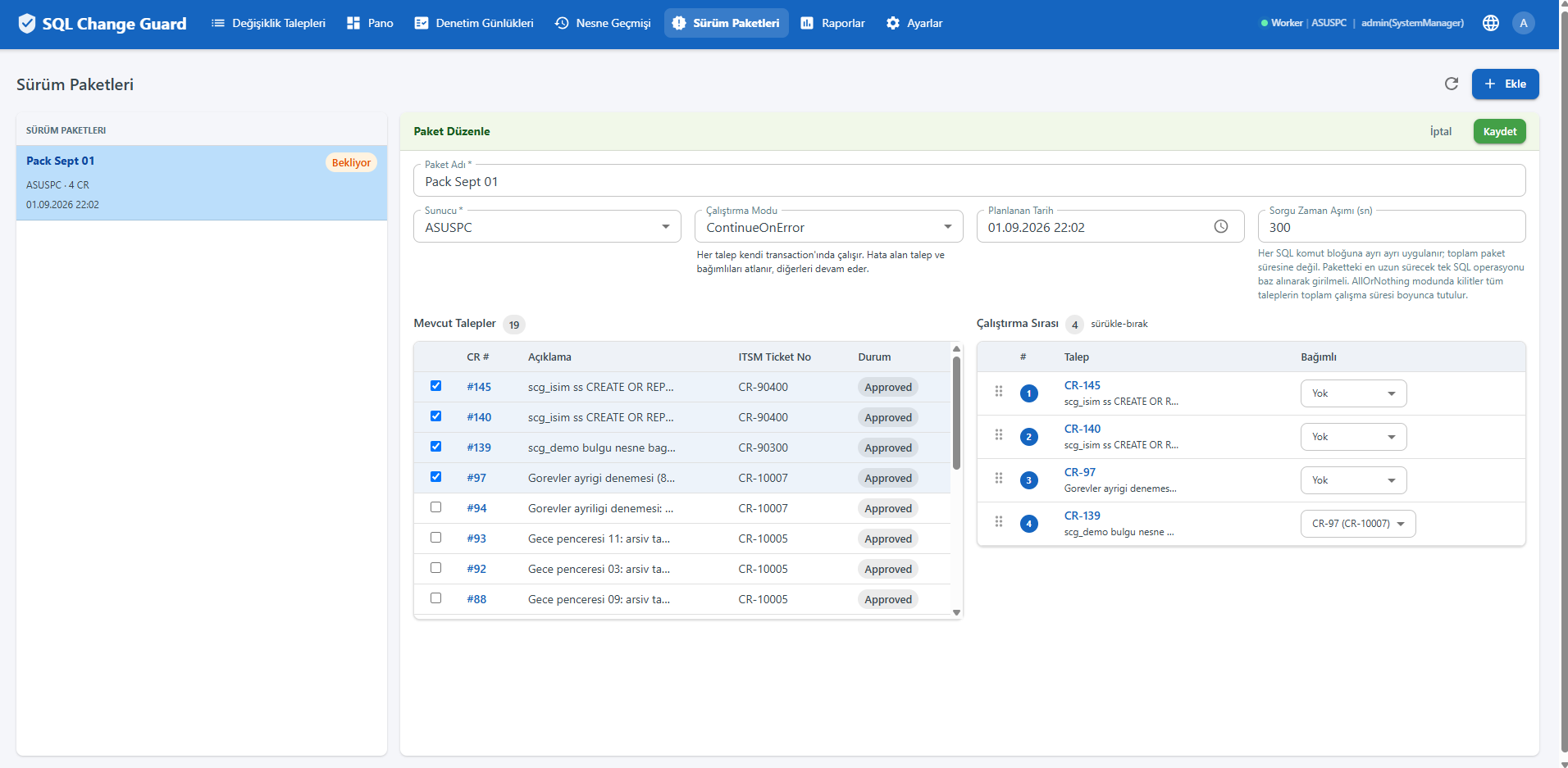
Several requests can be gathered into one package and run in order. A request inside an active package is governed by the package; editing and running it on its own is disabled.
An emergency request is routed to a separate emergency policy. A justification is mandatory, declaring an emergency is a permission in its own right, and an emergency policy must contain at least one non skippable approval step.